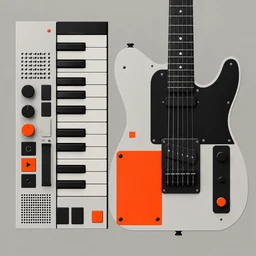
iSimpleLoop · iOS 17+
A free looper app for iPhone that works like a song sketchpad
iSimpleLoop is a pocket loop station for iPhone and iPad: record a loop, stack takes over it, play guitar, keys and pads on top, keep the lyrics in view and export the result as audio or MIDI.
Why song ideas die on the phone
- You hum a riff into Voice Memos, and a week later it is file number 214 with no tempo, no key and nothing to play over it.
- Looper apps that do everything ask for an account, a subscription or an hour of setup before the first loop.
- Overdubs drift late because of audio latency, and after a few layers the loop sounds sloppy even though you played in time.
- The riff lives in one app, the lyrics in Notes and the beat in a third app, so the idea never comes together as one song.
What iSimpleLoop does about it
A looper with up to 8 tracks
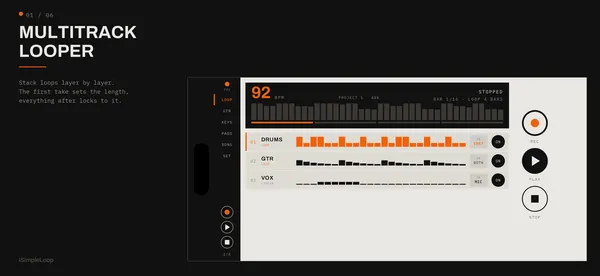
The first take sets the loop length and an overdub stops itself after one lap. Tracks can be looped or linear, with a count-in, a metronome and a per-track input: mic, the app's instruments, or both.
Latency compensation
Recorded takes are shifted to land where you played them. The settings screen shows the measured input, output and round-trip latency of your setup.
Instruments without extra gear
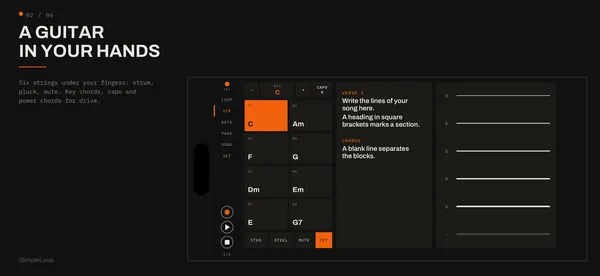
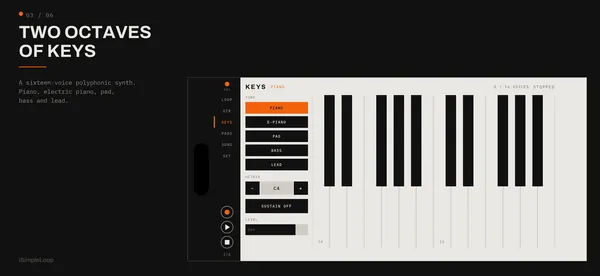
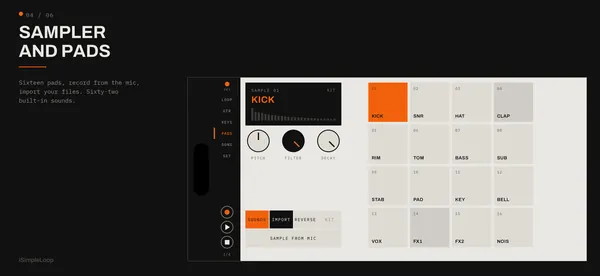
A six-string guitar you strum and pluck with your fingers, with chords of the chosen key, capo and power chords. Also a polyphonic keys synth and 16 pads with 62 built-in sounds.
Sampling and slicing
Record from the mic straight onto a pad or import WAV, MP3, M4A, AIFF and FLAC. Slice a sample by hits, equal parts or the tempo grid onto consecutive pads.
From loop to song
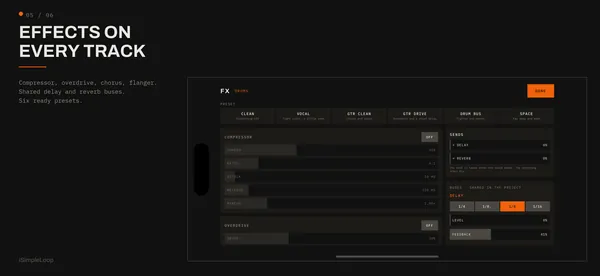
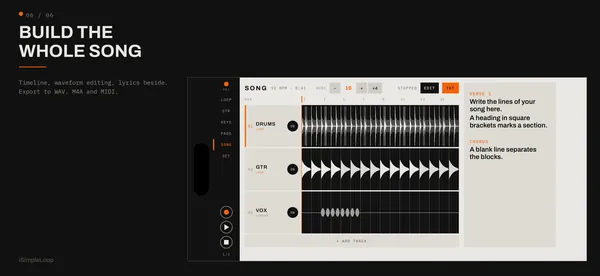
One timeline with waveform editing, three-band EQ and pan per track, compressor, overdrive, chorus and flanger inserts, delay and reverb buses. The lyrics stay in the project, split into sections.
Export and hardware
WAV 24-bit, M4A and MIDI with a track per instrument. Works with USB audio interfaces, USB and Bluetooth MIDI keyboards and foot controllers.
Price
iSimpleLoop is free. There is no subscription, no in-app purchase and no account. Everything runs on the device without an internet connection. It requires iOS 17 or later and runs in landscape on iPhone and iPad, with the interface in English, Russian, German and Italian.
Download on theApp StoreFrequently asked questions
Is there a free looper app for iPhone without a subscription?
iSimpleLoop is free with no subscription, no in-app purchases and no account. All features, including the 8-track looper, instruments and export, are available from the first launch.
How many tracks can I loop?
Up to 8 tracks. Looped tracks follow the master loop set by the first take, while linear tracks run the full length of the song, which suits vocals and solos.
Does it compensate for audio latency?
Yes. Takes are shifted so they land where you played them. The settings screen shows the input, output and round-trip latency the app measures for your current audio setup.
Can I use Bluetooth headphones for looping?
You can listen through them, but Bluetooth adds a large delay that makes playing in time hard. For overdubbing, wired headphones, a USB audio interface or the speaker work better.
Can I export my loops to a DAW?
Yes. You can export 24-bit WAV, M4A (AAC) and MIDI. The MIDI file has a track per instrument, with the pads on channel 10, so you can rebuild the parts in GarageBand, Logic or another DAW.
Does it work with an audio interface, MIDI keyboard or foot pedal?
USB audio interfaces are supported, and you can pick the input and channel to record. MIDI keyboards over USB and Bluetooth play the synth, and foot controllers can be mapped with MIDI Learn to play, record and stop.
Do I need an internet connection or an account?
No. Everything runs on the device, and nothing is sent to a cloud. You need no account, and the app works offline.
Does it work in portrait mode?
No, the app is landscape-only on both iPhone and iPad. That leaves room for the guitar neck, two octaves of keys and the timeline.
Guides and articles
How to make a loop on iPhone: a beginner's guide to looping
To make a loop on iPhone, set a tempo, record one to four bars after a count-in, stop exactly on the next downbeat, then overdub new layers while it repeats. Use wired headphones and a looper with latency compensation so the layers stay in time.
Read →The best way to record song ideas on your iPhone
For a quick hum or lyric line, Voice Memos is enough. For a riff you want to develop, loop it at a fixed tempo, sing over it and keep the lyrics in the same project. A looper app does that in minutes, and a DAW is for finishing.
Read →More apps

Nightkit
CPAP replacement reminders on the Medicare schedule

Wink
Days left on your contact lenses, with timely reminders

PoolDose
Test numbers in, exact chlorine and pH doses out

Siphon Aqua
Days since your last water change, and a reminder for the next

Sin Tracker
Seven sins, one calendar, zero motivational quotes

Честно
420 вопросов для свиданий, пар и компании